
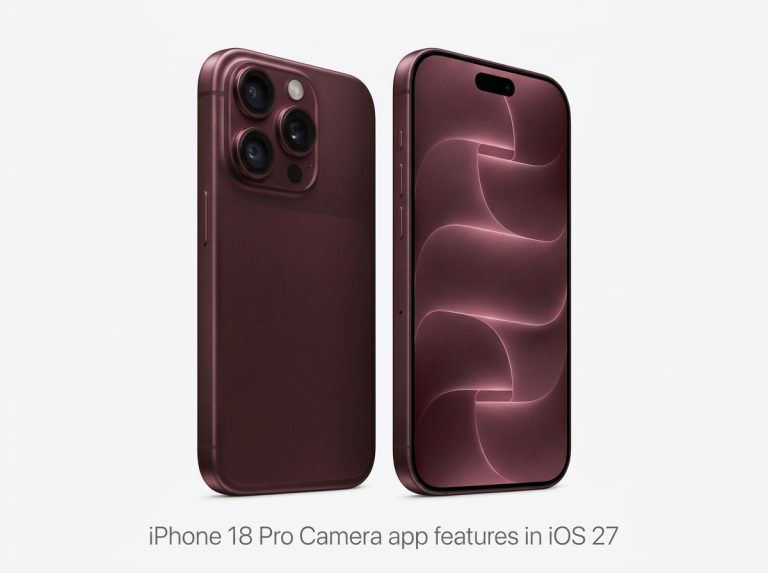
Apple has released iOS 27 with major changes to the native iPhone camera app. The update focuses on intelligent capture, interface customization, and manual controls for flagship hardware. Whether you use an AI-compatible base model or iPhone 18 Pro, iOS 27 changes how you frame, capture, and archive photos. You can follow broader mobile software coverage through the mobile software blog.
Quick Answer
iOS 27 brings three major camera improvements. It adds Siri mode for live translation, calendar extraction, plant identification and food analysis. It lets you customize controls for each shooting mode via an Edit menu. iPhone 18 Pro and Pro Max get exclusive tools including manual Pro controls for aperture, shutter speed, white balance and histogram, Photographic Styles 3 with grain, and Apple Reference Image digital negatives.
What is new in the iOS 27 camera app?
iOS 27 reorganizes the iPhone camera app around three additions. First, Siri mode brings visual intelligence directly into the viewfinder. Second, customizable controls let you edit the control tray for each shooting mode.
Third, iPhone 18 Pro models receive exclusive creative tools. These include manual Pro controls, Photographic Styles 3, and Apple Reference Image. Base models get Siri mode and customization. Pro models get all features.
Siri Mode: Visual Intelligence Inside the Camera App
Siri mode is the headline addition for everyday use in iOS 27. Previous versions placed visual intelligence behind separate triggers or menus.
In iOS 27, visual intelligence lives inside the primary camera viewfinder. You need to enable Siri AI support on compatible hardware before the icon appears.
What Siri Mode captures and processes
Siri mode works as an actionable optical scanner. Point the lens at real-world items and the system offers immediate actions:
- Instant Text Translation: Point at signage, menus, or documents to see live text conversions.
- Calendar Event Extraction: Capture flyers, invitations, or tickets to populate dates, times, and locations in your calendar.
- Plant and Botanical Care: Scan plants or foliage to retrieve identification and care routines.
- Nutritional Information: Analyze food items and packaging to view nutritional breakdowns without third-party apps.
Moving these tools into the core layout removes the need to switch between separate scanning utilities. Additional context on smartphone automation is covered by Suryani Tech.
Fully Customizable Camera Interface Controls
Personalization is a major focus in the iOS 27 camera improvements. Earlier iOS versions locked the layout of sliders and shortcuts.
In iOS 27, Apple lets you curate every control panel individually. Photo, Video, Portrait, and Cinematic modes keep their own arrangement.
How to edit and personalize your controls
- Open the iPhone camera app in your desired mode, such as Photo or Video.
- Tap the six-dot control panel icon in the bottom-right corner of the viewfinder.
- Select the Edit button in the top-left corner of the control tray.
- Add preferred shortcuts to the top row, or remove tools you rarely use.
- Confirm your changes to lock the customized tray for that mode.
Exclusive iPhone 18 Pro Camera Features
Base models gain Siri mode and customization. iPhone 18 Pro and iPhone 18 Pro Max receive dedicated creative controls for professional workflows.
Pro Controls: Manual Photography Tools
- Lens Aperture: Direct depth control for focus falloff and subject isolation.
- Shutter Speed: Precise exposure timing for freezing action or creating motion blur.
- White Balance: Kelvin adjustments to match complex ambient lighting.
- Live Histogram Viewer: Real-time tonal readouts to prevent clipped highlights and crushed shadows.
Photographic Styles 3
Photographic Styles reach their third generation in iOS 27. Building on hardware-level tone and color rendering, Photographic Styles 3 adds texture and film grain parameters.
You can fine-tune sharpness and grain intensity alongside contrast and warmth. The look is baked into the image at the sensor processing level.
Apple Reference Image: Digital Negatives
Apple Reference Image is an archival format for Pro hardware. It lets creators capture, view, and share reference images that act like digital negatives.
These files store unmanipulated sensor captures. You can verify what the camera recorded before computational processing. This helps production teams check lighting continuity, true exposure, and authentic subject geometry.
iOS 27 Feature Compatibility: Standard vs Pro Models
| iOS 27 Camera Feature | AI-Compatible Base Models | iPhone 18 Pro and Pro Max |
|---|---|---|
| Siri Mode (Visual Intelligence) | Supported (Requires Siri AI) | Supported (Requires Siri AI) |
| Customizable Interface Controls | Supported | Supported |
| Manual Pro Controls | Not Supported | Supported |
| Photographic Styles 3 (Texture and Grain) | Not Supported | Supported |
| Apple Reference Image | Not Supported | Supported |
Users planning hardware upgrades can track field performance reports on Rabin Giri Web.
Conclusion
iOS 27 improves the iPhone camera app with practical everyday tools and advanced Pro options. Siri mode puts translation and scanning inside the viewfinder. Custom controls let you arrange each shooting mode to match your workflow. iPhone 18 Pro models add manual control, grain-based styles, and archival reference images for professional review.
For additional resources, visit Backlinks Nepal.